
Standard Catalog Model vs Full Custom: A Scope-and-NRE Decision Framework for Buyers
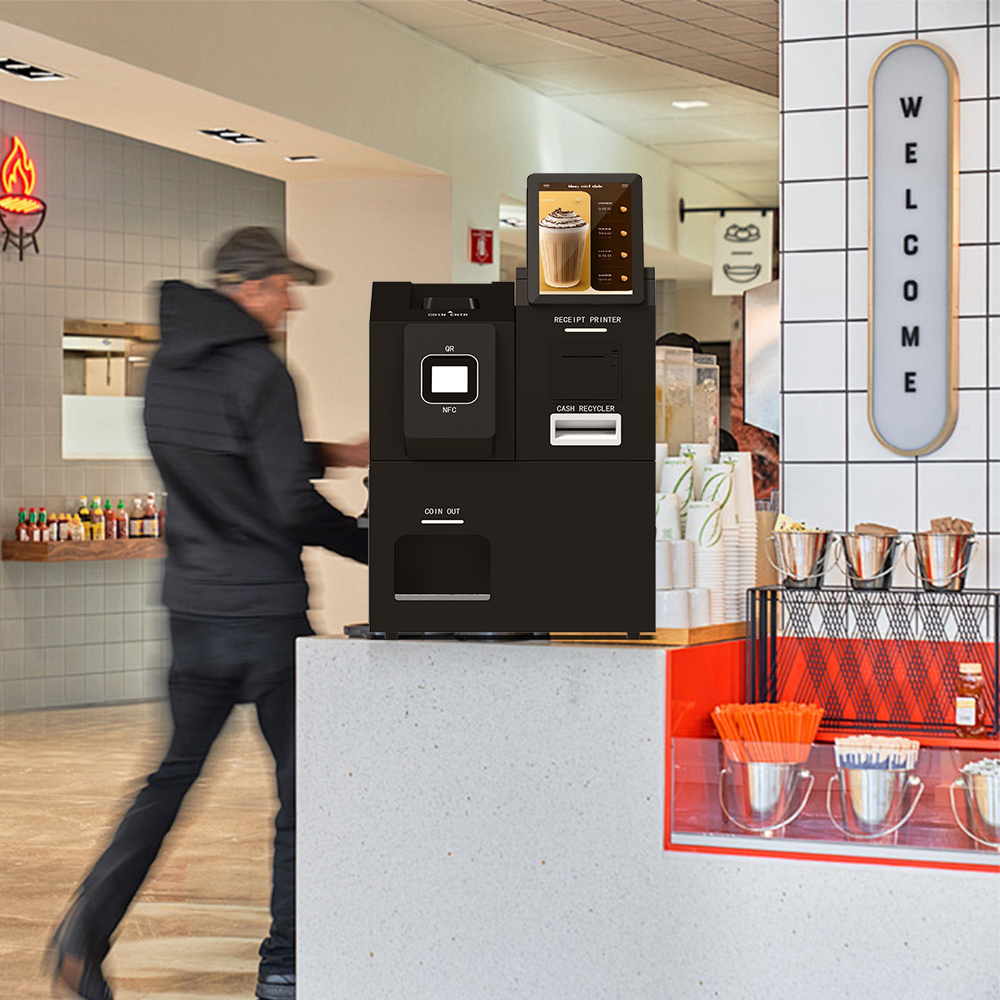
Choosing between a standard catalog model vs full custom kiosk build comes down to one question: will per-unit savings from volume outweigh the one-time NRE you pay upfront? Standard catalog models ship faster with no development fee but fixed module layouts. Full custom OEM/ODM development raises upfront cost and lead time while buying structural control over enclosure, module layout, and branding.
Standard Catalog Model vs Full Custom OEM/ODM: The Core Tradeoff in One Paragraph
The standard catalog model vs full custom decision is a trade between upfront cost and long-term friction. An off-the-shelf kiosk arrives with a fixed enclosure, a fixed module layout, and a lead time measured in days or weeks; a custom kiosk design manufacturer builds around your workflow, which costs more before the first unit ships but removes the adaptation work you would otherwise absorb in the field.
The divergence is not about quality. It is about who pays for the mismatch — you at configuration time, or you every day the kiosk is in service.
| Dimension | Standard catalog | Full custom OEM/ODM |
|---|---|---|
| Upfront cost | Lowest — no development fee | Higher — NRE added before production |
| Unit consistency | Fixed, identical across orders | Defined by your own configuration |
| Module fit | Constrained to catalog layout | Built to your workflow |
| Branding | Generic or light options | Fully specified enclosure and finish |
| Lead time | Short, from stock | Longer, includes design and tooling |
| Change flexibility | Low after order placement | Higher before freeze, costly after |
OEM vs ODM: What the Labels Actually Change for Your Project
The OEM vs ODM kiosk business models distinction determines who owns the design. In an ODM model the manufacturing company fully designs and builds the product, which third parties then market; in an OEM model the buyer specifies the product and the manufacturer executes that specification ([1]).
| Model | Who designs | Who the NRE sits with |
|---|---|---|
| ODM | Manufacturer | Manufacturer, amortised across its catalog |
| OEM | Buyer (with manufacturer engineering) | Buyer, itemised as project NRE |
For a self-service kiosk OEM ODM program, that maps onto real consequences. ODM shortens development because the enclosure and module architecture already exist — you brand and market it. OEM increases structural control and increases kiosk NRE cost development, because industrial design, tooling, and integration engineering become project-specific deliverables rather than shared catalog assets.
The practical rule: if your differentiation lives in the hardware, OEM. If your differentiation lives in software and service, ODM with branding is usually enough.
What Kiosk NRE Cost Development Actually Pays For
A kiosk NRE cost development line is not overhead. It covers the engineering work that turns a requirement into a producible unit, and a custom kiosk design manufacturer should itemise every category rather than quote one figure.
- Industrial and enclosure design — the enclosure structure, materials, and finish that match your placement and durability environment.
- Structural tooling and fabrication setup — moulds, jigs, and fixtures required before the first production run.
- Module layout and integration engineering — positioning and wiring the modules in your workflow order rather than a catalog order.
- Firmware, OS, and BIOS configuration — the baseline a Windows, Android, or Linux kiosk hardware target runs on, including locked-down boot behaviour.
- Payment and printing interface work — integration for cash handling and cashless payment kiosks, plus receipt and label printing.
- Branding and packaging artwork — logo, enclosure finish, labels, cartons, manuals.
- Pre-production prototype or pilot units — physical validation before volume commitment.
These are structural drivers. The actual figure depends on scope, which is exactly why buyers should require the NRE to be broken out line by line instead of accepting a lump sum.
The NRE Payback Test: A Kiosk Manufacturer Buyer’s Guide in Four Questions
The quickest kiosk manufacturer buyer’s guide is a four-question test. Each affirmative answer moves you toward custom; each negative keeps you in the catalog.
- Will you deploy enough units for per-unit savings to outweigh NRE? Custom development spreads fixed costs across the fleet. Low volume with high NRE rarely pays back, and high volume with a workable catalog model usually does not justify it either.
- Does your workflow genuinely diverge from any standard model’s flow, or only cosmetically? Compare the actual task sequence — identification, selection, payment, print, collection. If the sequence matches a catalog model and only the wording differs, standard wins.
- How many peripherals must be integrated, and must they be arranged differently from a catalog layout? Kiosk peripheral integration grows non-linearly. Three modules in an unusual order is a real design problem; three modules in a standard stack is a purchase order.
- Is branding exposure high enough that a visually generic cabinet is unacceptable in your channel? High-visibility retail checkout kiosks and hotel self-check-in kiosks often carry brand weight that a generic enclosure undercuts.
Decision rule: three or more affirmative answers typically justify custom development; one or fewer points to the catalog. Two is the zone where a catalog model with a branded skin is the cheapest defensible answer.
Scope Creep Triggers: A Kiosk Configuration Sheet Requirements Guide
Most budget overruns arrive as change requests after the freeze point. This table maps common requests to whether they belong in NRE and what to do instead.
| Change request | NRE-worthy? | What to do instead |
|---|---|---|
| New screen size | Yes if it alters the enclosure aperture or bezel | Confirm size during design freeze; otherwise accept catalog sizes |
| Re-arranged module stack | Yes if it changes mounting points or internal geometry | Resolve module layout at spec stage, not after tooling |
| Added payment method | Sometimes — depends on aperture, power, and certification | Reserve a mounting bay and power run for the payment module at design stage |
| Cosmetic colour change | Usually no, if it is finish or paint only | Absorb into branding artwork and finish spec |
| Packaging artwork revision | No | Handle as a print artwork change, not engineering |
| OS or firmware target change | Yes if it reopens driver or certification work | Fix the OS target and BIOS baseline before signing |
The pattern: changes that alter structure, tooling, or certification late in the program carry disproportionate cost because they reset the bill of materials and restart validation. Changes confined to branding artwork or software configuration usually do not, and a supplier that treats both identically is telling you something about its design for manufacturing (DFM) discipline.
What to Freeze Before You Sign: A Self-Service Kiosk Buying Guide
A self-service kiosk buying guide is only useful if it names the items that must be locked. Freeze these in the configuration sheet and in the quote:
- Enclosure structure and materials — determines tooling, weight, and installation method.
- Module layout and mounting positions — the geometry every peripheral depends on.
- Screen size and touch technology — drives bezel design, cable routing, and cost.
- OS target and BIOS/firmware baseline — Windows, Android, or Linux kiosk hardware choices change driver and certification scope.
- Payment module and cash acceptance scope — cash handling and cashless payment kiosks diverge sharply in internal volume and compliance work.
- Thermal printer and barcode scanner models — interface, mounting, and paper path are design inputs, not accessories.
- Branding, label, and carton artwork — cheap to change later only if separated from engineering changes.
- Packaging style — affects carton tooling and outbound logistics.
- Pilot-unit acceptance criteria — the written test that defines done.
Freezing these does not remove flexibility. It converts later changes from renegotiations into documented change orders with a defined cost, which is the only way the NRE figure quoted matches the NRE figure paid.
How to Verify the Scope You Paid For
The scope decision becomes verifiable through documents, not assurances. Sourcing verification at this stage means requesting the itemised NRE scope you were quoted, the frozen configuration sheet, the bill of materials reconciled against the module list, structural drawings or tooling confirmation for the enclosure, and pilot-unit acceptance records signed against the criteria you set.
A factory audit later in the program confirms that production matches the design. The document trail built before signing confirms that the design you paid for was the design specified — and that is what makes the custom premium defensible to stakeholders.
Frequently Asked Questions
What is the difference between OEM and ODM?
In the OEM model, the buyer specifies the product and the manufacturer builds to that specification. In the ODM model, the manufacturer designs and builds the product and third parties market it under their own brand ([1]). For kiosks, the choice decides who carries design ownership and who holds the NRE.
How much does a self-service ordering kiosk cost?
Cost is driven by structure and integration, not by a single list price: enclosure tooling, module count, payment and print scope, OS and certification, packaging, and order volume. Manufacturer sources publish tiered breakdowns and note that figures shift with module mix and quantity ([2]). Ask for an itemised scope rather than a headline number.
Does a custom build always cost more over the full lifecycle?
No. Custom costs more before production and can cost less afterwards, because the enclosure, module layout, and workflow already match the deployment. Whether that flips depends on your volume, service life, and support assumptions — the framework here is a reasoning tool, not financial advice, and the payback calculation is yours to run.
Related guides
- Verifying True In-House Compute Assembly in OEM/ODM: What a Factory Audit Should Disclose About Memory and Mainboard Sourcing
- Panel Sourcing Transparency in OEM/ODM: LG vs BOE vs AUO Panels for Procurement Teams
- Distinguishing ODM Custom Structural Design from
- OEM ODM touchscreen manufacturing engagement process: What to Expect from an OEM/ODM Touchscreen Manufacturing Engagement
Content reviewed: 2026-09-13.
Evidence confidence
Confidence: Medium. This rating reflects cross-checking 2 sources across 2 independent domains. It measures evidence coverage, not certainty; verify safety-critical work against manufacturer instructions and local requirements.
References
APA 7th edition
- ↑Cited 2 timesOemkiosks. (2019). OEM/ODM: What are the differences of these business. https://oemkiosks.com/blog/oemodm-differences-business-models/.
- ↑Touchwoipc. (2026). What is the cost of self-service ordering kiosk? - TouchWo. https://touchwoipc.com/what-is-the-cost-of-self-service-ordering-kiosk/.
You should also read:

3D Hologram Factory Audit Checklist: Verify Imaging Claims with an Evidence-Based Framework
A 3D hologram factory audit checklist verifies a supplier’s imaging claim by checking documented production evidence, not marketing language. An auditor must confirm three things: the ISO 9001 certificate covers the specific product line, the projection-optics measuring equipment is calibrated and traceable to standards, and…
Continue reading...
Factory Audit Checklist for OEM Buyers: Evaluating In-House Display Manufacturing
Why Display Manufacturing Needs Its Own Audit Checklist A generic audit proves a supplier can keep a tidy floor for a morning; it tells you little about touchscreen quality, which lives in three places standard checklists skip. A factory audit checklist for OEM buyers must…
Continue reading...